







2026.04.10
What are the benefits of conducting e-learning on smartphones and tablets? Introducing how to make learning materials smartphone-compatible!

-
Category
Recommended Articles
-
What is Vyond? Introducing the benefits of an animation video production tool that can be used for business.
-
[Animation Teaching Material Production] How to Create e-Learning Materials ②
-
How does Vyond differ from other animation production software? Comparison and recommendations
-
Can Vyond animations be used as teaching materials? Here are the benefits of using them in e-learning and training.
-
Let's create business animations with Vyond! An explanation of the reasons and benefits recommended for business, as well as challenges.
-
Vyond Go (AI Video Generation) Tips and Best Practices ① Vyond Go Setup Guidelines
-
Moodle Basic Course: What is Moodle?
-
[Moodle Basic Course] What can the e-learning management system Moodle do?
-
[Moodle Basic Course] What can be done with Moodle's default features
-
Benefits and Considerations of Moodle Cloud Services
-
Moodle is not only used by universities (widespread use)



Mobile-compatible e-learning, which allows you to learn anytime and anywhere, is attracting attention.
A major appeal of learning using smartphones and tablets is the effective use of spare time, such as during commutes or breaks. On the other hand, when creating content, it is necessary to design the materials with an understanding of the different operability and screen display compared to PCs.
Therefore, this time, we will organize the benefits of conducting e-learning on mobile devices, and provide a detailed explanation of the key points for making learning materials mobile-compatible, as well as efficient material creation methods using "iSpring Suite".
>iSpring Product Implementation / Creation Support|Human Science
Table of Contents
1. Benefits of Conducting e-Learning on Smartphones and Tablets
2. How Do e-Learning Styles Differ Between PCs and Smartphones/Tablets?
3. Points to Note When Making e-Learning Materials Mobile-Friendly
4. How to Create Mobile-Friendly e-Learning Materials Using iSpring Suite
5. Summary
1. Benefits of Conducting e-Learning on Smartphones and Tablets

e-Learning using smartphones and tablets offers various advantages, such as the "ease" and "flexibility" unique to mobile devices. Here, we introduce the main benefits.
〈Merit.1〉Easily learn during spare moments regardless of time or place
With a smartphone or tablet, you can easily study by making use of spare moments such as during your commute or waiting times. It pairs well with microlearning (a learning style conducted in short periods of about 1 to 5 minutes), promoting continuous input. For busy working adults, it can also provide an efficient opportunity to acquire knowledge.
〈Merit.2〉Immediate access when needed
When you want to check manuals or rules on-site, a smartphone allows you to do so instantly. Especially in industries such as customer service and manufacturing, where on-site response is required, e-learning via smartphones supports the field.
〈Merit.3〉Improved Learning Efficiency with Convenient Features like Notifications, Voice Input, and Touchscreen
Notification functions help prevent missed lessons, and intuitive operations such as voice input and touch controls enhance learning efficiency with features unique to smartphones.
Additionally, younger users who are accustomed to input operations on smartphones and tablets can use them smoothly.
〈Merit.4〉Ability to Learn on Personal Devices
Many people personally own smartphones or tablets, and being able to study on their own devices is a significant advantage. Not being tied to company devices and progressing at one’s own pace also contributes to increased motivation.
In this way, e-learning on smartphones and tablets offers many advantages in terms of ease of use and efficiency, and it is also effective for establishing learning habits. When implementing it, designing to fully leverage these characteristics is the key.
2. How do e-learning styles differ between PCs and smartphones/tablets?
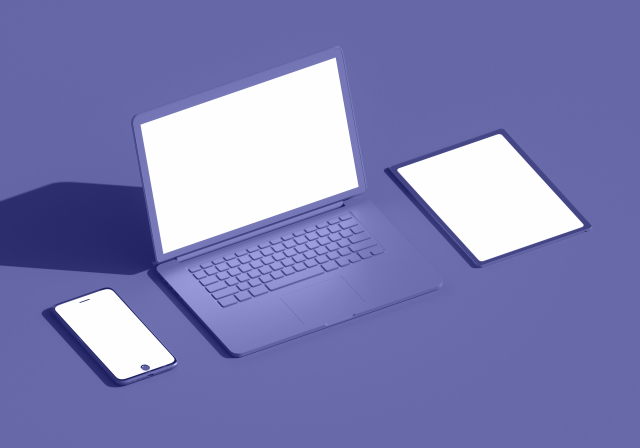
e-learning can be conducted not only on PCs but also on smartphones and tablets, each having its own suitable usage. Rather than one being superior, understanding the characteristics of each device allows for more effective utilization. Let’s organize the features of both.
<E-learning on PC>
Time and Place: Since learning mainly takes place in a desk environment, the available time and location tend to be limited.
Usability: Comfortable for those accustomed to using a mouse and keyboard, and suitable for detailed tasks.
Visibility: The large screen makes it easy to view materials and videos, and it excels in providing an overview.
Security: If using a company-issued PC, management is easier and security is more reliable.
<E-learning on Smartphones and Tablets>
Time and Place: You can study flexibly at your preferred timing, such as during your commute, while out, or at home.
Usability: Intuitive touch operation makes it easy to use, especially suitable for watching videos and simple multiple-choice questions.
Visibility: Although the screen is small, viewing it close at hand can help you focus on finer details.
Security: When learning on personal devices, there is a risk of information leakage, so measures such as ID management and access restrictions are necessary.
PCs and mobile devices each have their own strengths and challenges. Choosing the optimal device according to the learning content and usage scenarios is the key to effectively advancing e-learning.
3. Points to Note When Making e-Learning Materials Compatible with Smartphones

While e-learning on smartphones and tablets is convenient, there are also several points to be aware of. To achieve efficient learning, it is essential to incorporate measures that take into account the unique characteristics of mobile devices.
<Point of Caution.1> Thorough security measures are necessary
As mentioned above, when using personally owned smartphones or tablets, measures against information leaks and unauthorized access may not be fully secure. Implement basic security measures such as login management, access restrictions, and communication encryption.
〈Note 2〉Learning efficiency may decrease on small screens
Due to screen size limitations, materials and videos can be difficult to view. Lectures that require referencing multiple materials are especially better suited for PCs. Mobile-compatible materials also require thoughtful presentation and design.
〈Note 3〉Because it’s easy to use, concentration tends to break
Smartphones and tablets are prone to distractions from notifications and other apps, making it difficult to focus on learning. Key points include structuring content to be completed in a short time and incorporating interactive elements to help maintain concentration.
<Note 4> Easily affected by communication environment
When used outdoors or while on the move, Wi-Fi or mobile data communication is often used, and depending on the location, there may be stress caused by videos stopping or long loading times. It is desirable to design content that can be used offline and to keep data usage low.
To succeed in e-learning on smartphones and tablets, it is essential not only to implement security measures but also to create materials optimized for the learning environment, such as screen size, and to devise ways to maintain concentration. If possible, we recommend designing with mobile device viewing in mind rather than simply repurposing PC-oriented materials.
>Introducing How to Use iSpring Suite! Let's Create e-Learning Materials
4. How to Create Smartphone-Compatible e-Learning Materials Using iSpring Suite

For those who want to efficiently create e-learning materials compatible with smartphones and tablets, the e-learning authoring tool "iSpring Suite" is recommended. It offers the ease of use based on PowerPoint and high compatibility with multiple devices.
What is iSpring Suite?
iSpring Suite is an all-in-one toolset for creating e-learning content and can be used as an extension tool for PowerPoint. It features intuitive operation, allowing you to easily add interactive elements such as quizzes and interactive content, as well as narration. Additionally, the created content can be output in a format optimized for mobile devices.
How to Create Mobile-Compatible Materials Using iSpring Suite
Materials created with iSpring Suite can be output in HTML5 format. They are displayed optimized for each device, such as PCs, smartphones, and tablets. During the production process, you can use the "Preview Mode" to check the display on each device in real time, making it easy to verify readability.
[Basic Steps for Creation]
(1) Create slides in PowerPoint
(2) Use iSpring Suite features to add quizzes, audio, videos, etc.
(3) Check the display on smartphones and tablets in preview mode
(4) Export in HTML5 format and upload to LMS, etc.
With iSpring Suite, you can smoothly create smartphone-compatible e-learning materials even without specialized knowledge. As a flexible tool that combines ease of use and adaptability, it is definitely worth considering for implementation.
For more detailed information about iSpring Suite, please refer to these articles.
> What are the Features of iSpring Suite? ~Introducing Advantages, Disadvantages, and Use Cases!~
> Comparing iSpring Suite and iSpring Suite AI! Explanation of Differences and Recommended Users
> How Much Does iSpring Software Cost? Explanation of the Pricing Structure!
5. Summary
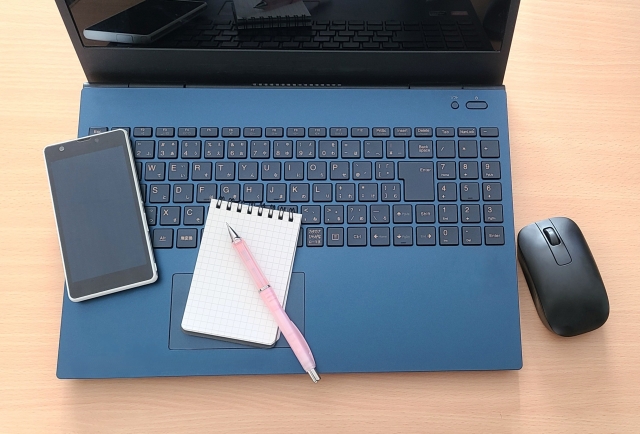
E-learning accessible on smartphones and tablets enables "flexible learning" that is not bound by time or place. It is especially effective for immediate on-site verification and making use of spare moments, and it pairs excellently with microlearning. On the other hand, there are some points to be mindful of, such as small screen size, maintaining concentration, and security aspects.
To overcome these challenges, it is essential to design learning content optimized for mobile devices. For example, by utilizing authoring tools like "iSpring Suite," you can easily create content compatible with a variety of devices such as PCs, smartphones, and tablets.
Furthermore, by requesting a vendor that provides support for the implementation of iSpring Suite and outsourcing of teaching material creation, it is possible to introduce higher-quality materials more quickly.
One such vendor, Human Science, not only supports the implementation and operation of iSpring products but also responds to various customer needs such as planning and designing mobile-compatible e-learning, and migrating content associated with LMS replacement. Please feel free to contact us.
For details on services such as the implementation and operation of iSpring products, please visit Human Science's e-learning site.
Understand the Features and Usage of iSpring Suite / iSpring Suite AI!Comprehensive iSpring Guide
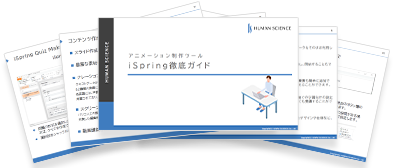
This section introduces the overview and usage of the animation teaching material production tool "iSpring."
This book provides a complete understanding of iSpring. You will also have an image of the teaching material production after implementation.
【Contents】
- What is iSpring Suite / iSpring Suite AI
- How to create teaching materials using iSpring Suite / iSpring Suite AI
- Overview and utilization of iSpring Suite AI
- Features of iSpring Suite AI
- Specific Usage of iSpring Suite AI
- iSpring Suite AI Certified Resellers
- Introduction to Human Science
Supervisor Information