







2026.04.17
[Webinar Report] Introduction to New Features of iSpring Suite AI │ Information on Recorded Distribution

-
Category
Recommended Articles
-
What is Vyond? Introducing the benefits of an animation video production tool that can be used for business.
-
[Animation Teaching Material Production] How to Create e-Learning Materials ②
-
How does Vyond differ from other animation production software? Comparison and recommendations
-
Can Vyond animations be used as teaching materials? Here are the benefits of using them in e-learning and training.
-
Let's create business animations with Vyond! An explanation of the reasons and benefits recommended for business, as well as challenges.
-
Vyond Go (AI Video Generation) Tips and Best Practices ① Vyond Go Setup Guidelines
-
Moodle Basic Course: What is Moodle?
-
[Moodle Basic Course] What can the e-learning management system Moodle do?
-
[Moodle Basic Course] What can be done with Moodle's default features
-
Benefits and Considerations of Moodle Cloud Services
-
Moodle is not only used by universities (widespread use)



On March 17 and 19, 2026, we held a webinar titled "Evolving 'Creation' with AI: Introduction to New Features of iSpring Suite AI."
In this article,
・Key points of the new features in iSpring Suite AI
・Practical usage examples
・Upcoming update information
will be summarized and introduced.
If you want to streamline content creation or are interested in utilizing AI, please be sure to take a look.
Table of Contents
1. Webinar Overview
2. What You Can Do with iSpring Suite AI: 4 New Features
└ 2-1. Image Generation: Instantly Create Images for Slides
└ 2-2. Translation: Bulk Generate Multilingual Materials
└ 2-3. Script Generation: Automatically Create Content from Structure to Text
└ 2-4. Quiz Generation: Automatically Generate Questions from Materials
3. Q&A from the Webinar (Security, Feature Restrictions, etc.)
4. Upcoming iSpring Suite AI Update Plans
5. For iSpring Suite AI Implementation and Utilization, Please Consult Human Science
6. Archive Distribution Information
Due to popular demand, the recorded broadcast of this seminar has been decided.
If you are interested, please be sure to apply.
Held on Thursday, May 14|Click here to apply for viewing
1. Webinar Overview
As you know, in the fall of 2025, iSpring Suite will be renewed, and iSpring Suite MAX will be renamed iSpring Suite AI.
The features for content creation will be enhanced, and especially, as the name suggests, new functions that leverage AI to more powerfully support content creation have been added.
In this webinar, we introduced four AI-powered features with live demonstrations.
Megan, iSpring's Customer Success Manager and Partner Manager, also joined us to talk about the future feature addition plans for the iSpring Suite products.
2. What You Can Do with iSpring Suite AI: Four New Features
The features introduced in the webinar are as follows:
1. Image Generation
2. Translation
3. Script Generation
4. Quiz Generation
Among these, "Image Generation" and "Translation" can be accessed from the iSpring Suite ribbon added to PowerPoint.
"Image Generation," "Script Generation," and "Quiz Generation" are features available on iSpring Cloud AI.
"Image Generation" can be used from either platform.
2-1. Image Generation: Instantly Create Images for Slides
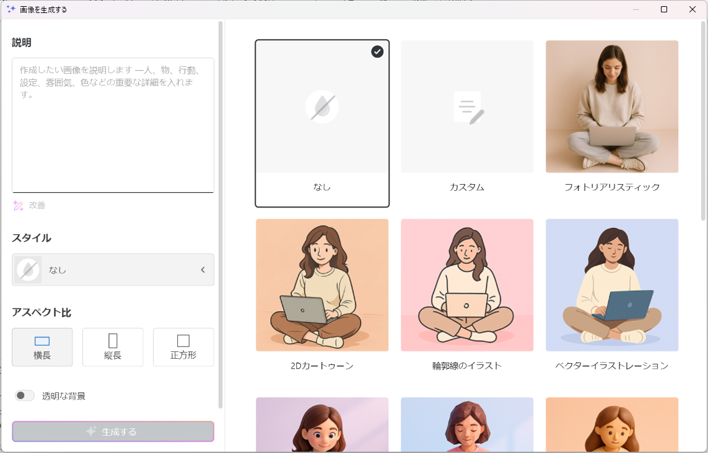
You can generate images simply by selecting keywords and the desired style of illustration.
2-2. Translation: Bulk Generate Multilingual Materials
iSpring Suite has long supported translation functions, but the translation itself had to be done separately.
With this update, AI-powered translation has been implemented.
Since text written in notes is also subject to translation, all text files can be replaced with the desired language.
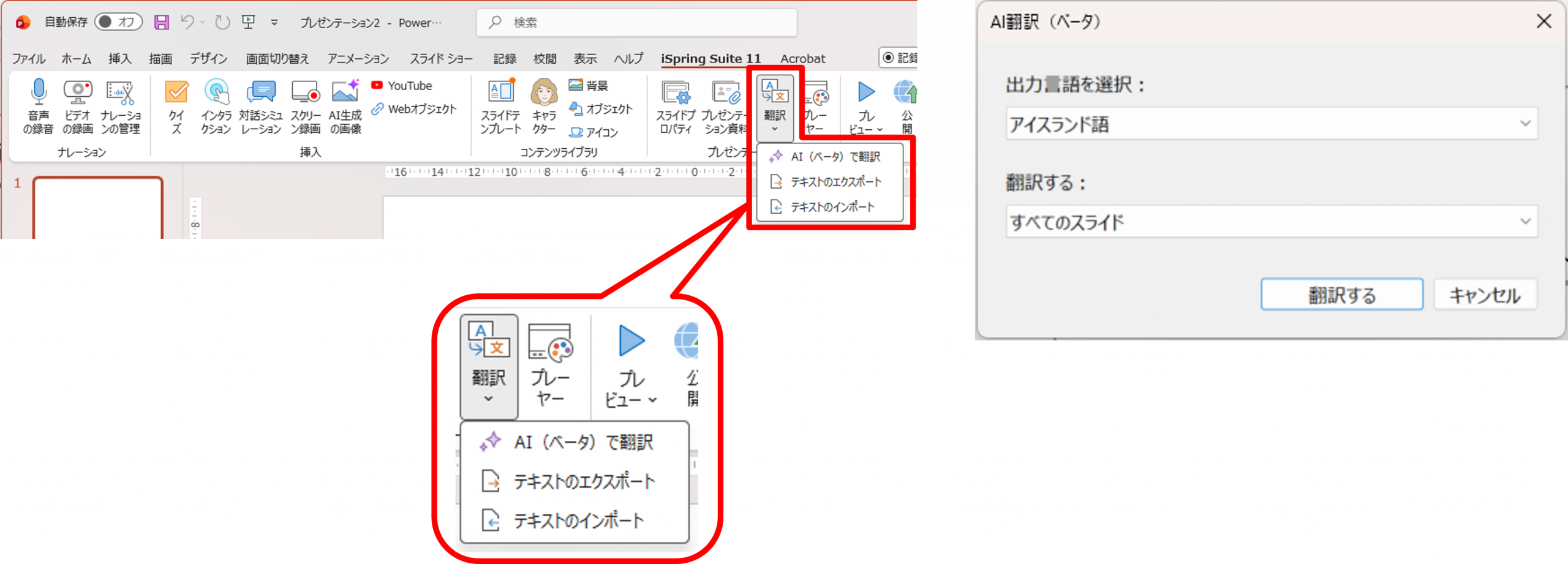
As of January 2026, you can choose from 77 languages.
2-3. Manuscript Generation: Automatic Creation from Structure to Text
By asking AI questions or providing themes, you can receive proposals starting from the structure.
Access and use iSpring Cloud AI.
Formatted text such as headings and bullet points is generated, so it can be used as is.
Of course, editing is also possible as needed.
Since you only need to select the text and choose a command to format it, you can create content without coding.
The created text becomes HTML content that can be read by scrolling vertically.
However, please be sure to conduct a fact check.
2-4. Quiz Generation: Automatically Creating Questions from Teaching Materials
This feature reads existing text and generates quizzes from it.
You can specify the range within the text from which you want to create questions, and quizzes will be generated based on the explanations there.
It is also possible to increase or decrease the number of questions and modify the question formats as needed.
In addition, manuscripts and quizzes generated by iSpring Cloud AI can be exported in a SCORM-compliant format, making it possible to integrate them into your LMS.
3. Q&A from the Webinar (Security, Feature Restrictions, etc.)
During the Q&A session, there was very active participation.
Here are some selected excerpts.
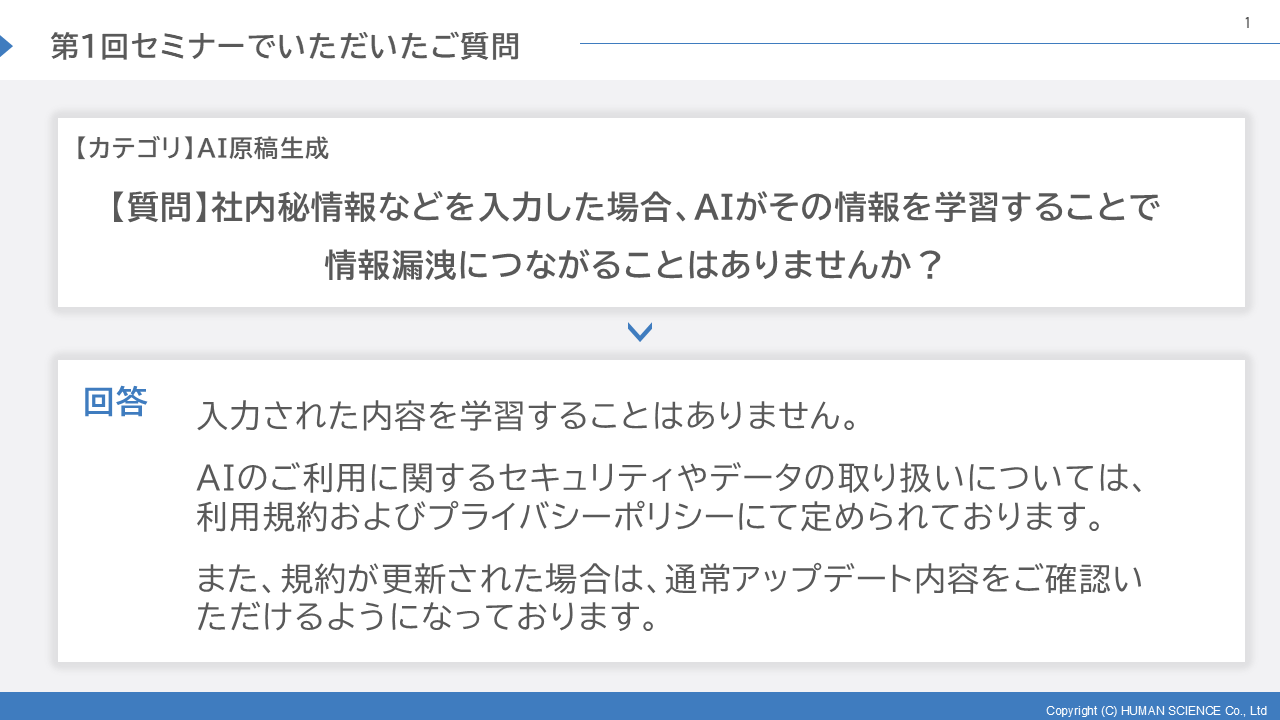
Q. If confidential internal information is entered, is there a risk of information leakage because the AI learns that information?
A. The input content is not learned.
Security and data handling related to AI usage are defined in the Terms of Use and Privacy Policy.
Also, when the terms are updated, you will usually be able to review the update details.
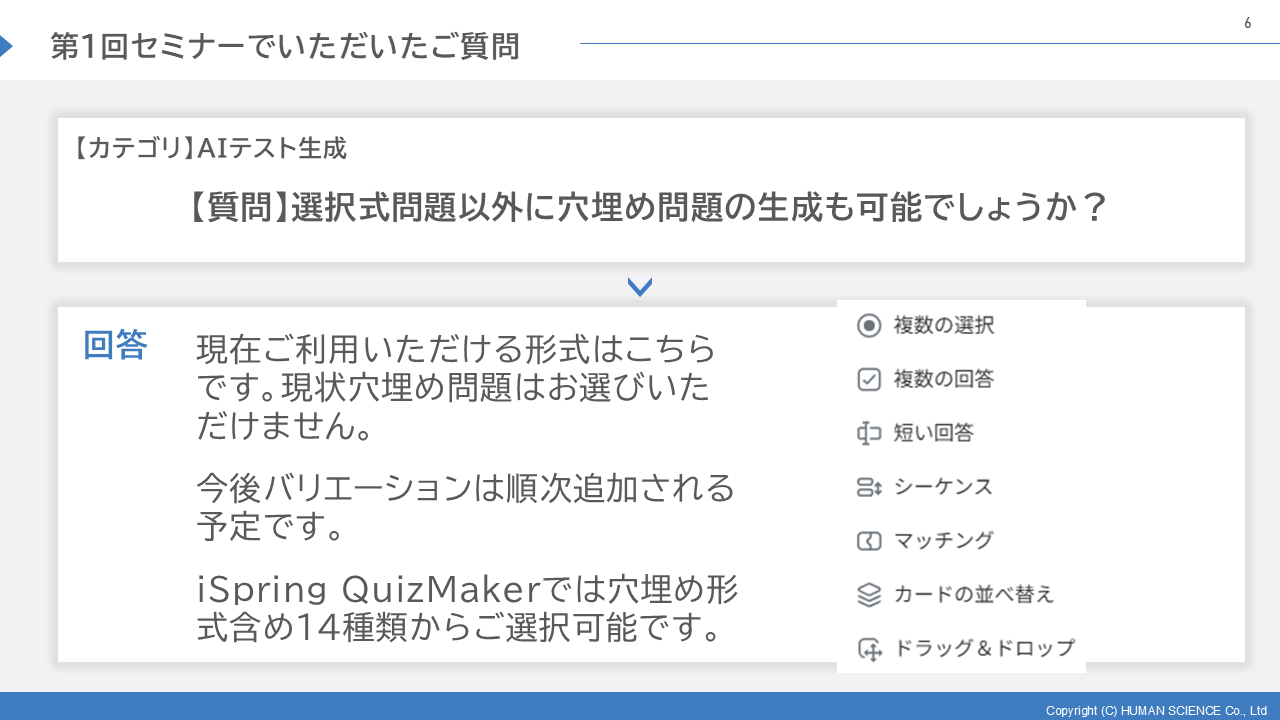
Q. Is it possible to generate fill-in-the-blank questions in addition to multiple-choice questions?
A. The formats currently available are "Multiple Choice," "Multiple Response," "Short Answer," "Sequence," "Matching," "Card Sorting," and "Drag & Drop." Fill-in-the-blank questions are not available at this time.
Variations will be added sequentially in the future.
With iSpring QuizMaker, you can choose from 14 types, including the fill-in-the-blank format.
Q. Does the AI narration support text-to-speech?
If supported, can the AI voice also be translated along with the AI translation?
A. Currently, it is not supported but is planned for future implementation.
4. Upcoming iSpring Suite AI Updates
Megan from iSpring introduced that by 2026, there are plans to enhance existing features and add new AI-powered functionalities.
・Automatically generate the structure and draft of teaching materials from keywords and source documents
・Improve the quality of AI voice narration generation
・Support for text creation within PowerPoint
5. Please consult Human Science for the introduction and utilization of iSpring Suite AI
Human Science Co., Ltd. is an authorized reseller of the US-based iSpring.
With iSpring Suite AI, you can try a free trial before implementation to check its usability and then decide whether to proceed.
We also offer plans tailored to the attributes and usage methods of users, such as for educational institutions, non-profit organizations, freelancers, or for setting simultaneous access numbers to be used across an entire organization.
If you are interested, please feel free to contact us.
You can also check the details of the service on the Human Science website.
>Create Rich e-Learning Materials with Your Familiar PowerPoint - iSpring Implementation Support
> iSpring Product Implementation / Creation Support Services
Also, since our company itself is a user of iSpring Suite AI, we hold webinars that include know-how gained during use.
You can check the webinar schedule from the page below.
> [Human Science] e-Learning Webinar Information
6. Notice of Archive Distribution
Due to popular demand, the recorded broadcast of this seminar has been decided.
If you are interested, please be sure to apply.
Understand the Features and Usage of iSpring Suite / iSpring Suite AI!Comprehensive iSpring Guide
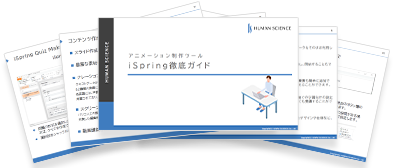
This section introduces the overview and usage of the animation teaching material production tool "iSpring."
This book provides a complete understanding of iSpring. You will also have an image of the teaching material production after implementation.
【Contents】
- What is iSpring Suite / iSpring Suite AI
- How to create teaching materials using iSpring Suite / iSpring Suite AI
- Overview and utilization of iSpring Suite AI
- Features of iSpring Suite AI
- Specific Usage of iSpring Suite AI
- iSpring Suite AI Certified Resellers
- Introduction to Human Science
About the Author