







2026.05.07
Explaining How to Create Easy-to-Understand In-House Training Materials and Key Points!

-
Category
Recommended Articles
-
What is Vyond? Introducing the benefits of an animation video production tool that can be used for business.
-
[Animation Teaching Material Production] How to Create e-Learning Materials ②
-
How does Vyond differ from other animation production software? Comparison and recommendations
-
Can Vyond animations be used as teaching materials? Here are the benefits of using them in e-learning and training.
-
Let's create business animations with Vyond! An explanation of the reasons and benefits recommended for business, as well as challenges.
-
Vyond Go (AI Video Generation) Tips and Best Practices ① Vyond Go Setup Guidelines
-
Moodle Basic Course: What is Moodle?
-
[Moodle Basic Course] What can the e-learning management system Moodle do?
-
[Moodle Basic Course] What can be done with Moodle's default features
-
Benefits and Considerations of Moodle Cloud Services
-
Moodle is not only used by universities (widespread use)


In-house training is essential for improving employees' skills and awareness. One of the major factors that greatly influences the success of such training is the quality of the teaching materials. To prevent issues related to materials such as "the intended message not being conveyed" or "learners becoming bored," it is necessary to create clear and easy-to-understand materials that match the purpose.
This article provides a detailed explanation of practical know-how, from the basic steps for creating in-house training materials, to key points for making "effective materials," and further how to utilize them in e-learning.
1. Steps for Creating In-House Training Materials

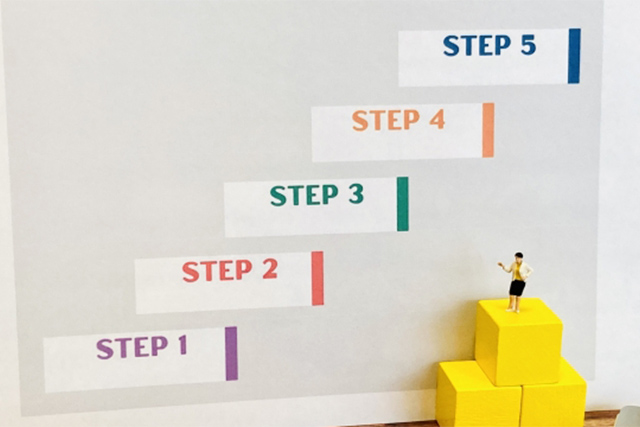
The "quality of materials" directly affects the results of in-house training. To create clear and effective materials, it is necessary to follow planned steps rather than starting production abruptly. Here, we introduce the basic seven steps for producing training materials for in-house training.
〈Step.1〉 Selection of Training Objectives and Themes
The first thing to do is to clarify the learning objectives, that is, "what is the purpose of conducting the training." If you start creating the materials with unclear training goals, the criteria for judgment will not be established, and the content of the materials will become inconsistent.
Also, clearly define who the training is intended for. It is helpful to consider "who you want to be like and how you want them to be" after completing the training.
〈Step.2〉Decide on the overall training curriculum
Next, design the overall structure of the training. Solidify the structure while considering the flow such as "Introduction → Main content → Review," whether to conduct it all at once or divide it into several sessions, and also take into account the learners' burden and level of understanding.
〈Step.3〉Consideration of Methods for Creating Training Materials Based on the Structure
Once the content is decided, consider in what format to create the training materials. Choose a method that suits your company's environment and objectives, ranging from familiar tools like Word and PowerPoint to e-learning authoring tools such as Adobe AnimateCC, iSpring Suite, and Vyond.
〈Step.4〉Deciding the Structure of the Teaching Materials
Specifically assemble the content of the teaching materials. Consider the chapter divisions, the order of slides, and the amount of information per page, and carefully structure the flow so that learners can understand it smoothly.
〈Step.5〉Script Creation and Preparation of Materials
Create the actual explanatory text and narration scripts according to the structure. At the same time, prepare necessary materials such as images, diagrams, illustrations, and videos. Incorporating terminology, information, and examples tailored to your company's situation will deepen understanding.
〈Step.6〉Design
The appearance of the training materials also affects learning effectiveness. Adjust fonts, colors, layouts, and other elements to create a design that is easy to read and highly visible.
〈Step.7〉Proofreading Text and Checking Illustrations
Once the materials are complete, be sure to set aside time for review. In addition to checking for typos and errors, it is important to verify—preferably from the perspective of a third party other than the creator or writer—whether the explanations of illustrations are clear, there are no contradictions or redundancies in the content, and the information is up to date.
The key point for in-house training materials is to carefully design and produce them with the goal of creating materials that communicate effectively to all target learners. By keeping in mind the seven steps introduced, you can create materials that lead to learners' understanding and practical application.
2. Key Points for Making In-House Training Materials Easy to Understand

To make learners feel that the material is "easy to understand," it is important to accumulate small thoughtful touches. In this chapter, we explain effective points to significantly enhance the clarity of the teaching materials.
Setting the Table of Contents and Page Numbers
By presenting an overview of the training through the table of contents in advance, learners can easily grasp "which part they are currently studying." Also, displaying page numbers helps learners anticipate the goal and maintain their concentration.
Unify Layout and Fonts
If the fonts and heading positions used within the materials are inconsistent, learners will have to process unnecessary information each time the page changes, causing extra cognitive load. Conversely, a consistent design contributes to creating an environment that makes it easier to focus on learning.
One Message per Slide (Limit the Amount of Information)
If you cram multiple pieces of information into one slide, the main point you want to convey becomes unclear. Focus on one key point per slide and aim for a clean, organized structure.
Do Not Overload with Too Much Text
When a slide full of text is displayed, many people may feel burdened. Simply reading the text listed on the screen can be tiring. Organize the information with visibility in mind by using bullet points for key points, breaking sentences into shorter ones, or conveying information through diagrams or tables instead of text.
Make it visually easy to understand by using images and graphs
As mentioned above, some content that takes time to understand through text explanations alone can be grasped at a glance through diagrams or illustrations. Visualizing processes and data in particular enhances comprehension.
Pay Attention to Color Schemes
The way colors are used greatly affects readability and impression. Be mindful of the contrast between the background and text, and limit accent colors to one or two. Too many colors can make the information look cluttered. Keep in mind that some viewers may have impaired vision. Please also consider the contrast between background and text colors.
Create adequate margins
Margins are a “breath of fresh air” for information. Avoid cramming everything in; by providing appropriate spacing between lines and at the top and bottom of slides, visibility improves, making the materials easier to read.
Focus not only on "what to convey" but also on "how to convey it and how to ensure understanding." The careful considerations introduced in this chapter will support learners’ comprehension.
3. How to Utilize In-House Training Materials for e-Learning

Instead of just distributing the materials you have carefully created on paper, expanding them into e-learning can further enhance learning effectiveness and convenience. Here, we introduce the benefits of utilizing in-house training materials for e-learning.
Reasons Why Using e-Learning Is Recommended
〈With an LMS, Accessible Anytime〉By delivering materials through an LMS (Learning Management System for e-learning), learners can access the necessary materials from their smartphones or PCs during breaks or while on the move. Progress is recorded, allowing them to resume learning from where they left off or review previously studied content, facilitating repeated learning.
〈Reduce Printing Effort and Costs〉Mass printing and distribution work become unnecessary, and it also helps reduce environmental impact. The efficiency and rationality unique to digital formats are advantages.
〈Can Also Be Used as “Preview Materials” for Group Training〉By having learners acquire basic knowledge in advance through e-learning, group training can focus on application and practice, making more effective use of the limited training time.
〈Manage Progress and Course History〉You can centrally manage learners' progress, such as who has studied up to which point and their test results, enabling the visualization of education.
To deploy materials in a format suitable for e-learning, it is important to assume digital utilization from the creation stage. Additionally, by using e-learning content creation tools like the ones below, you can smoothly integrate materials into the system.
PowerPoint × iSpring Suite
By utilizing iSpring Suite, slides created with the familiar PowerPoint can be directly converted into e-learning materials. Narration and quizzes can also be easily incorporated. Since it is based on PowerPoint and does not require getting used to specialized software, it is attractive for smooth creation.
>What Are the Features of iSpring Suite? ~Introducing Advantages, Disadvantages, and Use Cases!~
Vyond
It is video creation software that easily adds motion to illustrations and creates animations. Even complex processes or scenes that are difficult to explain can be conveyed intuitively through animation. It is effective when you want to promote visual understanding and keep the audience engaged.
By not limiting yourself to paper alone and utilizing e-learning, the “ease of learning” and “clarity of communication” of educational materials can be greatly expanded. Effectively linking such authoring tools with systems and using them efficiently is also beneficial.
4. Summary

To enhance the effectiveness of in-house training, it is important to create "easy-to-understand materials" for learners. This article has introduced practical know-how, from the basic steps of material creation, points to encourage understanding by improving appearance and structure, to how to deploy materials as e-learning.
Recently, due to the diversification of work and changes in working styles, the importance of e-learning, which allows learning regardless of time and place, has been increasing. Among them, since many companies are accustomed to creating teaching materials with PowerPoint, teaching material creation tools like iSpring Suite are extremely effective.
If you are unsure about which teaching material creation tool to choose, please leave it to Human Science, an authorized reseller of iSpring. Our company offers not only sales and implementation support for iSpring products but also various services such as outsourced teaching material creation. Please feel free to contact us first.
You can also check the details of the services on Human Science's e-learning site.
>Human Science's e-Learning Services
>iSpring Product Implementation / Creation Support
>Vyond Sales
Understand the Features and Usage of iSpring Suite / iSpring Suite AI!Comprehensive iSpring Guide

This section introduces the overview and usage of the animation teaching material production tool "iSpring."
This book provides a complete understanding of iSpring. You will also have an image of the teaching material production after implementation.
【Contents】
- What is iSpring Suite / iSpring Suite AI
- How to create teaching materials using iSpring Suite / iSpring Suite AI
- Overview and utilization of iSpring Suite AI
- Features of iSpring Suite AI
- Specific Usage of iSpring Suite AI
- iSpring Suite AI Certified Resellers
- Introduction to Human Science
Supervisor Information