







2023.11.21
2026.06.29
How to Prepare E-learning Materials? Explaining Acquisition Methods, Advantages and Disadvantages of In-house Production, and Key Points for Creating Excellent Materials!

-
Category
Recommended Articles
-
What is Vyond? Introducing the benefits of an animation video production tool that can be used for business.
-
[Animation Teaching Material Production] How to Create e-Learning Materials ②
-
How does Vyond differ from other animation production software? Comparison and recommendations
-
Can Vyond animations be used as teaching materials? Here are the benefits of using them in e-learning and training.
-
Let's create business animations with Vyond! An explanation of the reasons and benefits recommended for business, as well as challenges.
-
Vyond Go (AI Video Generation) Tips and Best Practices ① Vyond Go Setup Guidelines
-
Moodle Basic Course: What is Moodle?
-
[Moodle Basic Course] What can the e-learning management system Moodle do?
-
[Moodle Basic Course] What can be done with Moodle's default features
-
Benefits and Considerations of Moodle Cloud Services
-
Moodle is not only used by universities (widespread use)



When considering the introduction of e-learning, one of the concerns is probably the issue of "how to prepare the teaching materials." There are various options, such as whether to utilize ready-made products or to create original materials in-house. Additionally, when creating original materials, it is essential to consider the appropriate approach and select the right tools to develop effective teaching materials.
This article provides a comprehensive explanation of how to obtain e-learning materials, the advantages and disadvantages of in-house production, the steps for creating materials, recommended creation tools, and key points for producing high-quality materials. It is packed with useful information not only for those who are about to start creating materials but also for those who have already implemented e-learning.
Table of Contents
1. What is e-learning material?
2. Types of e-learning material formats
3. Types of hierarchical training with e-learning materials
4. How to obtain e-learning materials
5. Advantages and disadvantages of in-house production of e-learning materials
6. Steps for creating e-learning materials
7. Points to note when producing e-learning materials
8. Top 3 recommended e-learning material creation tools
9. Summary
1. What is e-learning material?
First, let's review the basic information about e-learning and e-learning materials.
E-learning is a learning method that utilizes electronic devices (such as computers, smartphones, and tablets) via an internet connection, and it can also refer to the entire system that delivers not only the materials themselves but also their distribution.
<Main Features and Benefits of e-Learning>
・ Learn at your own pace: Learners can study according to their own progress
・ High flexibility: Learning is possible anytime and anywhere with an internet connection
・ Covers diverse learning methods: There are various materials such as text, videos, and quizzes
・ Real-time evaluation: Administrators can monitor progress in real time
・ Cost-effective: No physical space is required, so there are no venue or travel expenses
To conduct e-learning that includes learner management, both a "system" for delivery and "materials" as content are required.
<e-Learning Delivery System>
The e-learning delivery system is called an LMS (Learning Management System ※). An LMS is used for designing, building, and managing learning programs. It also functions as a platform to provide access to learning content, track progress, conduct assessments, and generate reports.
*Currently, the mainstream is shifting towards a "Talent Management System" that is managed in conjunction with HR information, rather than an LMS specifically focused on education.
●Examples of specific features available in the LMS
・ Issue IDs for each learner and record individual histories
・ Assign teaching materials to each learner (for administrators, technical staff, etc.)
・ Manage learning status for each teaching material (such as study time and test scores)
・ Set the course period
・ Obtain statistical data such as attendance rate, study time, and accuracy rate
<What Constitutes Educational Content>
In e-learning, various formats can be utilized, including not only text and illustrations but also videos, animations, virtual reality (VR), and augmented reality (AR). These formats help learners understand information visually and auditorily, which is expected to enhance learning effectiveness.
The various formats of e-learning materials will be explained in detail in the next chapter.
2. Types of e-Learning Material Formats

There are various formats for educational content, each with different advantages and suitability. By selecting formats according to the subject matter and learning objectives, you can provide the optimal learning experience for learners. Below, we explain the main types of e-learning material formats, their characteristics, and examples of suitable teaching materials.
●Video and Video Formats
Edit videos shot with camcorders or smartphones. Add subtitles and captions to supplement explanations and create content. Information that is difficult to understand with words alone becomes clear at a glance, making it suitable for learning complex processes and procedures.
(Example of teaching materials) How to operate equipment, how to use tools, etc.
●Animation Format
We will explain using illustrations and animations. This enhances understanding with rich expressiveness and is expected to boost learners' motivation. Additionally, it is advantageous in expressing scenes that are difficult to reproduce with live-action.
(Example of teaching materials) Business procedures, screen operations, case studies of incidents, and examples of harassment-related issues.
●PowerPoint and PDF formats
PowerPoint and PDF format materials are utilized as teaching materials. With this format, you can create materials simply by reusing or reorganizing existing documents, which helps reduce effort and workload. However, since the methods of expression are limited, there is a tendency for learning effectiveness and learner completion rates to be lower.
(Example of teaching materials) Teaching materials related to law with a high frequency of updates, and business procedures expected to be used in a dictionary-like manner.
> Related Column: What is iSpring Suite? Features, Pricing, and Introduction Benefits
●Simulation Format
This is a simulation teaching material for learning how to operate a system. Based on the actual system screen, learners proceed by virtually operating the screen. It can be used in various situations, such as practicing actual operations or using it as help when you don’t know how to operate.
It is useful when learning to operate important systems where inputting dummy data is not possible, such as accounting or customer information systems.
(Example of teaching materials) Learning to operate office software, operation manuals for internal systems, etc.
●Quiz/Test Format
Incorporating quizzes and tests helps to solidify knowledge and measure the effectiveness of training. The addition of interactive elements promotes learners' willingness to participate and motivation to learn, contributing to the improvement of practical skills.
(Example of materials) Compliance training, language learning, etc.
●Virtual Reality (VR) / Augmented Reality (AR) format
Utilizing cutting-edge technologies such as virtual reality and augmented reality, we provide learners with real experiences. Abstract information and concepts are also visualized, allowing for practical learning effects. This is suitable for scenes that require advanced simulations.
(Example of teaching materials) Work training in manufacturing and construction industries, customer service training in the service industry, etc.
By combining these formats, the quality of e-learning materials and learning effectiveness can be enhanced, providing an optimal learning experience tailored to the needs of each individual learner.
3. Types of Hierarchical Training in E-learning Materials
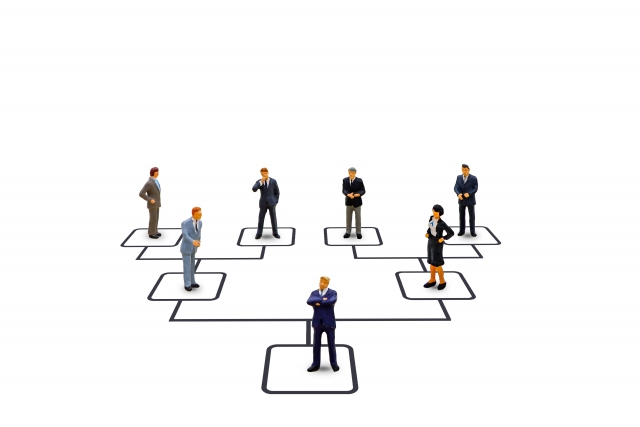
Education and training tailored to employees' growth stages directly contribute to improving overall corporate performance. Here, we explain examples (types) of training suitable for each of the three levels: new employees, mid-level employees, and managers.
●Training for New Employees
〈Purpose〉
To acquire the basic behaviors and mindset as a working adult and build a foundation for independent action
〈Examples of Specific Training〉
・ Basics of Business Etiquette (appearance, greetings, business card exchange, honorific language, etc.)
・ How to Write Business Documents and Emails
・ Introduction to Internal Rules and Compliance
・ Mindset and Sense of Responsibility as a Working Adult
・ How to Use Office Software (Excel, Word, PowerPoint)
●Training for Mid-Level Employees
〈Purpose〉
To cultivate the ability to independently carry out tasks, as well as the skills to train juniors and lead teams
〈Examples of Specific Training〉
・ Junior staff guidance and OJT training
・ Time management and work efficiency
・ Logical thinking and problem-solving skills
・ Career review and goal setting
●Training for Managers
〈Purpose〉
Enhance decision-making and talent development abilities, and acquire skills to manage organizations
〈Examples of Specific Training〉
・ Personnel evaluation and interview skills
・ Practical organizational management and team building
・ Data-driven decision making (Introduction to data science)
・ Marketing and strategic thinking
Employees at every phase have learning needs that are essential "now." Continuous development that addresses the challenges at each hierarchical level builds a trusted organization.
4. How to Obtain e-Learning Materials

We have seen that there are various types of e-learning materials, but how can you obtain them? In this chapter, we will introduce methods and key points for acquiring these materials.
<Acquisition Method 1> Purchase Ready-Made Teaching Materials
This method involves purchasing and utilizing ready-made teaching material packages. Since they are sold in a completed state, you cannot add your company's original elements. However, because they are created by professionals, the quality of the materials is considered to be above a certain standard. For general topics such as business manners and compliance knowledge, ready-made teaching materials can be sufficiently utilized by many companies.
When purchasing teaching materials, the purchasing method varies depending on whether your company has an LMS or not.
▶If your company has an LMS
If your company's LMS is compatible with the course material standards, you can register and operate the course materials on your LMS. Please check the standards and purchase only the course materials.
▶If your company does not have an LMS
Receive distribution services (cloud services) from vendors (sales companies) that provide the teaching materials. Since physical equipment such as servers is not required, it is hassle-free, and security management is handled by the vendor.
Please note that there may be cases where an LMS is not required, such as when learning management is not specifically conducted, so we ask that you respond according to each situation.
<Acquisition Method.2> Customize Ready-Made Teaching Materials
This method involves customizing parts of a ready-made teaching material package to suit your company. While covering some aspects with existing materials, you create teaching materials aligned with your company's objectives by adding or modifying information. It is possible to flexibly adjust by integrating multiple materials or changing case studies to reflect actual situations in your company or industry peers.
●Examples of Customization
・ Add information to the training materials
・ Modify case studies for in-house use
・ Integrate or split training materials
・ Change test content
・ Add or modify technical terms and expressions for in-house use
〈How to Obtain.3〉Order Custom-Made Training Materials
This is a method of ordering custom-made training materials from a vendor. A major advantage is that you can create your company's unique training materials from scratch with professional support. Companies that are unsure about what kind of materials to create or want to convert their proprietary know-how into e-learning may want to consider custom-made orders.
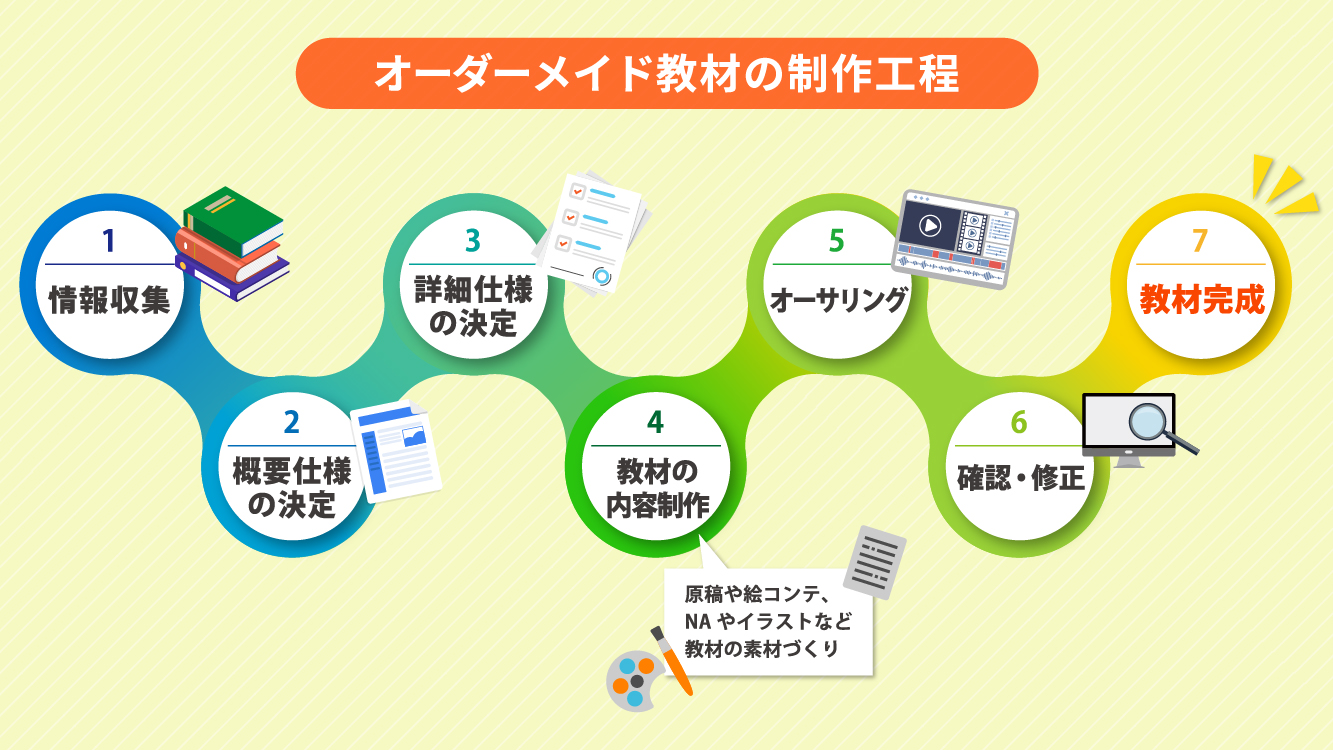
The general production process is as follows.
(1) Information Gathering
(2) Determination of Overview Specifications
(3) Determination of Detailed Specifications
(4) Content Production for Teaching Materials (creating materials such as manuscripts, storyboards, NA, and illustrations)
(5) Authoring*
(6) Review and Revisions
(7) Completion of e-Learning Materials
* Creating a single digital content by combining text, images, audio, video, etc. Without authoring, it cannot be delivered from the LMS.
〈How to Obtain.4〉Create Original Training Materials In-House
This is a method of producing training materials within your own company. There are various ways to create them, but if authoring is required, using a "training material creation tool" allows relatively easy production.
Training material creation tools strongly support the authoring process. It is fine to prepare the materials using PowerPoint or Excel. It is also possible to incorporate audio files and video files. Since there is no need to request professionals, a major advantage is cost reduction.
If your company has the skills and know-how to create e-learning scenarios and necessary charts and diagrams internally, considering in-house production is also an option.
5. Advantages and Disadvantages of In-House Production of e-Learning Materials
● Advantages of In-House Production of e-Learning Materials
〈Advantage.1〉Ability to Create Materials Optimized for Your Company
You can tailor the content to match your company's actual situation according to industry, job type, corporate culture, and more.
〈Advantage.2〉Easy to Update and Revise
It is possible to timely and swiftly modify and reflect content in accordance with changes in systems and operations.
〈Merit.3〉Can Reflect and Accumulate In-House Know-How
By incorporating insights and efficient examples cultivated through work into the materials, the organization can share and pass on its collective knowledge assets.
〈Merit.4〉Leads to Cost Reduction in the Long Term
Although initial production costs will occur, continuing operation can suppress outsourcing costs, resulting in a highly cost-effective investment.
● Disadvantages of In-House Production of e-Learning Materials
〈Disadvantage 1〉Requires Specialized Knowledge and Skills
Since multiple skills such as instructional design, video editing, writing, and design are required, securing internal resources can be a challenge.
〈Disadvantage.2〉A Certain Production Period is Required
There are various steps from organizing issues to structuring, shooting, editing, and checking, which take time to complete, making it unsuitable for short-term implementation.
〈Disadvantage.3〉Attention to Quality Control is Necessary
If the production system is not well established, there is a risk of inconsistency in the quality of the materials. Because it is in-house production, regular and continuous review is essential.
In-house production of e-learning materials can become a powerful asset for companies. However, preparation and establishing a production system are essential before starting. Choose the optimal method while aligning with your company's goals and resources.
6. Steps for Creating E-learning Materials
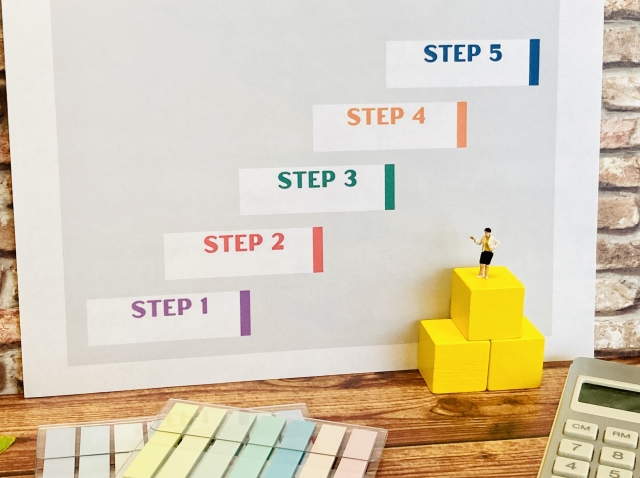
In this chapter, we introduce the basic steps for creating e-learning materials, divided into seven parts. By thoroughly following the steps below, you can efficiently create materials with high learning effectiveness.
<Step 1> Planning and Design (Learning Objectives and Target Audience)
The first step in creating educational materials is to clearly define the learning objectives. For example, set goals such as "New employees acquire the basic manners necessary for work" or "All employees raise their awareness of information security," and then plan and design the materials accordingly. By considering the target audience (such as work experience and age group), the learning content and expression methods will become more appropriate.
〈Step 2〉Consideration of Creation Method
Next, let's consider the method for creating the teaching materials. Refer to the "How to Obtain E-learning Materials" introduced in the previous chapter, and choose the optimal creation method by taking into account the format of the materials, learning methods, budget, and delivery time.
<Step 3> Preparing the Manuscript
Once the method for creating the teaching materials is decided, and if original elements are needed for your company, prepare the manuscript that will serve as the script or slide content for the materials. Using clear language and expressions, and organizing information with diagrams and bullet points will deepen learners' understanding.
<Step 4> Preparing Materials (Illustrations, Photos, Videos)
Prepare materials such as illustrations, photos, and videos to be used in the teaching materials. It is possible to utilize paid or free materials available on the internet, but incorporating photos taken in-house or scenes from your business will result in more realistic and persuasive materials. Visual data such as graphs and charts are also effective.
<Step 5> Creation (Authoring)
Combine the materials prepared so far to complete the teaching materials. Incorporating "engaging presentations" from the learner's perspective and "practical knowledge applicable to work" will further enhance the learning effectiveness.
<Step 6> Implementation
Provide the completed materials to the learners. Check each learner's environment (PC, smartphone, etc.) and ensure that they can study smoothly.
<Step 7> Evaluation and Improvement
To grasp the learning effectiveness of the materials, evaluate the learners' level of understanding and satisfaction. Utilize surveys, test results, log data, and other sources to identify points for improvement in the materials, and review the content and structure as needed.
When conducting evaluation and improvement, many companies refer to the "Four-Level Evaluation Model" proposed by the late American management scholar Donald Kirkpatrick. This model allows for a systematic evaluation of training effectiveness from four perspectives: ① Reaction, ② Learning, ③ Behavior, and ④ Results.
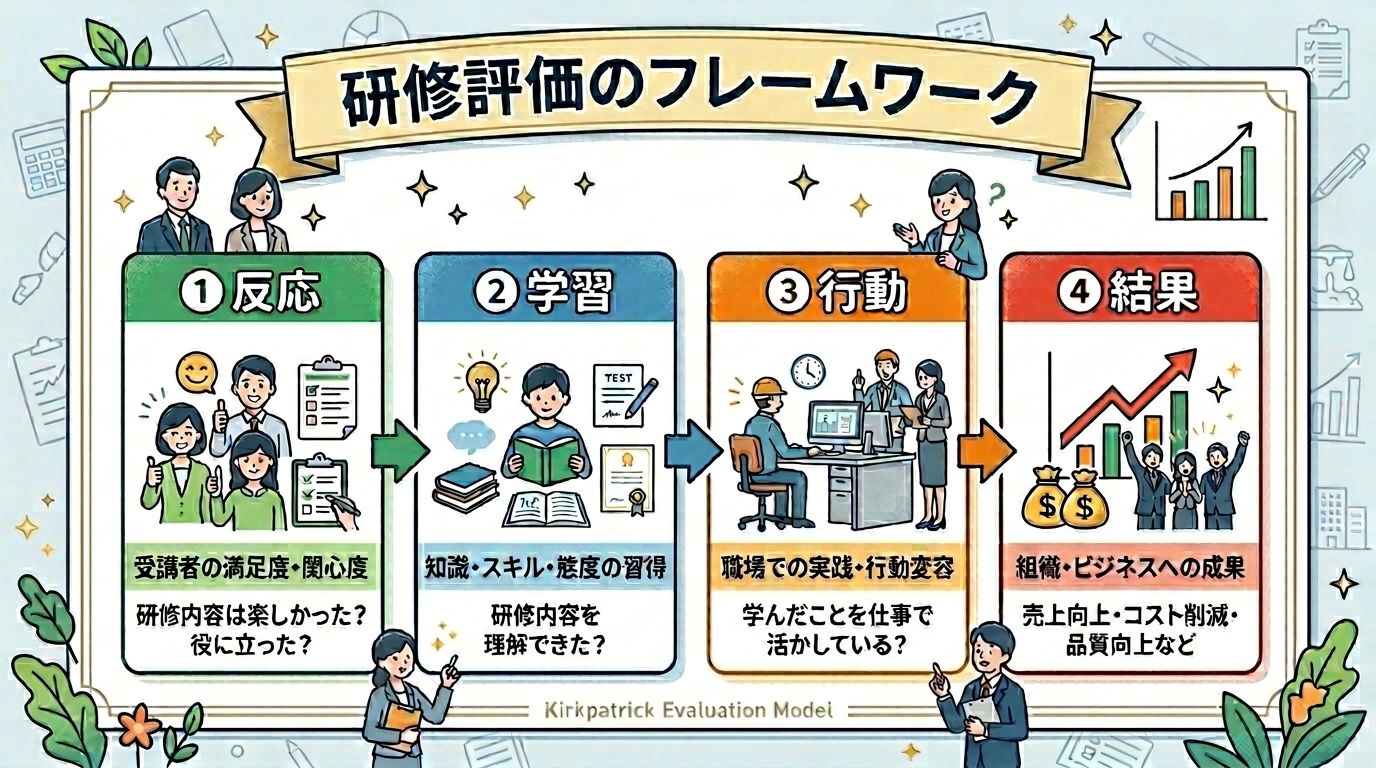
By repeatedly improving the content and structure of the materials based on the feedback received, you can create higher-quality learning materials.
7. Points to Note When Creating e-Learning Materials

To enhance learning effectiveness and create materials that can be used for a long time, it is essential to have several important perspectives during the production stage. Here, we introduce common points to be mindful of when creating materials, whether produced in-house or outsourced.
〈Point of Caution.1〉Always Keep in Mind Whether the Instructional Design Aligns with the Training Objectives
It is important to confirm whether the content is directly linked to the training’s purpose and goals. Clearly define what you want learners to acquire after completion and what behavioral changes you expect, then design accordingly.
〈Point of Caution.2〉Incorporate Measures to Enhance Learning Effectiveness
By incorporating elements such as quizzes, worksheets, videos, and simulations that allow learners to actively engage in learning, you can improve comprehension and retention rates. Also, be mindful of the “learner’s perspective” in usability, such as screen readability and the clarity of narration.
〈Note 3〉Design with updates and revisions in mind
To accommodate changes in regulations or business operations, designing the content so that parts can be easily replaced or added makes ongoing management easier.
〈Note.4〉Do Not Forget to Consider Copyright
When using third-party content such as photos, illustrations, music, or quotations, it is essential to verify copyright and obtain proper usage permissions. Additionally, when outsourcing, it is reassuring to clearly define the scope of use and rights in the contract with the production company.
Simply making e-learning materials "easy to understand" is not enough to create effective content. Clear definition of objectives, incorporating methods to enhance learning effectiveness, designing for ease of use, and consideration of legal risks are all key factors for successful overall design.
8. Top 3 Recommended e-Learning Authoring Tools

Many companies utilize authoring tools when creating e-learning materials. In recent years, the number of multifunctional and user-friendly tools has increased, making it easier to create high-quality materials.
Here, we introduce three recommended e-learning authoring tools that are easy for beginners to use.
〈1〉PowerPoint
PowerPoint is one of the easiest tools to use when creating e-learning materials. The period from starting the manuscript creation to distribution can be relatively short. Furthermore, if there are existing assets such as materials already created for in-person training, utilizing them allows for more efficient creation of materials. It is suitable for materials that require frequent updates and for sharing information that needs to be communicated quickly.
〈Main Features〉
・ Add animations and narration
・ Display bullet points sequentially
・ Highlight specific parts in sync with narration
→ Recording these actions and exporting them as a video creates excellent teaching materials
<Examples of Suitable Materials>
・ Materials such as laws and regulations that are regularly revised
・ Notification of revisions to internal systems and rules
〈2〉iSpring Suite AI
iSpring Suite AI is used as an add-in software for PowerPoint*. It is based on PowerPoint presentations and uses a timeline to make detailed adjustments and corrections to narration and animations. While narration can also be added in PowerPoint itself, using this tool makes source management and synchronization with animations easier.
It is also attractive for its abundant templates and materials, which can improve the design quality and learning effectiveness of the materials. Furthermore, it is equipped with tools for generating quizzes and tests, as well as screen capture (a function that records on-screen operations in video format), allowing for more interactive elements to be incorporated into the materials.
*Software that is additionally installed as an added feature and provides extensions
<Main Features>
・ Generation of narration audio from text files
・ Detailed adjustments and corrections when synchronizing narration and animations
・ Collections of design templates, background illustrations, character illustrations and photos, icons, etc.
・ Customization of character illustrations
・ Generation of quizzes and tests
・ Generation of role-play style content
・ Screen capture
・ Video editing
・ Automatic translation
・ Selection of teaching material formats and layouts
<Examples of Suitable Teaching Materials>
・ Fields where quizzes and tests are effective, such as language learning and technical training
・ Teaching materials that require role-playing simulations, such as customer service
> Related Column: What is iSpring Suite? Features, Pricing, and Introduction Benefits
> Related Site: Create Rich e-Learning Materials with Your Familiar PowerPoint - iSpring Implementation Support
〈3〉Vyond
Vyond is a cloud service specializing in animation, used worldwide. A wide variety of characters, backgrounds, illustrations, and more are pre-prepared, allowing you to create professional animation content simply by combining them. No special knowledge or skills are required. The completed animations can be published as they are, or imported into PowerPoint, iSpring Suite AI, and other tools to be utilized as e-learning materials.
<Extensive Templates>
・ Backgrounds: Over 1,900 items
・ Characters: 1,300 items
・ Small Illustrations: Over 14,000 small illustrations
・ Actions (Character expressions and movements): Over 2,400 patterns
<Examples of Suitable Teaching Materials>
・ Teaching materials that include complex concepts or procedures (expressed clearly through animation)
・ Teaching materials that include scenes difficult to reproduce with live-action (e.g., accident cases, harassment-related NG cases)
・ Storytelling
9. Summary

This time, we have focused on the "preparation of teaching materials" for e-learning and provided an explanation. The most important process in creating e-learning materials is the conceptualization and design of the materials.
While it is possible to do this in-house, receiving support from vendors who have accumulated various know-how allows you to create more effective and attractive e-learning materials.
Human Science, one of such vendors, has produced approximately 3,000 e-learning materials since starting its services in 2000. We flexibly respond to our clients' needs, including planning and design, mobile support using videos and HTML5, and content migration related to LMS replacement. For inquiries about introducing e-learning or consultations regarding educational materials, please feel free to contact Human Science.
In recent years, the number of customers producing their own teaching materials has also been increasing, and Human Science sells and provides production services for tools such as "iSpring Suite AI" and "Vyond." Please feel free to consult us about these tools as well.
Please refer to Human Science's e-learning site.
> Related Site: e-Learning Content Production
> Related Site: Vyond (Animation Production) Sales
> Related Site: Animation Material Production Outsourcing


No Failures!
Key Points for Creating e-Learning Manuscripts
We will focus on the parts of the documents that have already been created, such as materials used in group training, and explain the points to note and areas for revision.
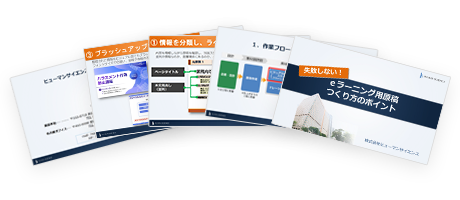
[Content]
- Let's check the workflow.
- Let's brush up the slides.
① Classify and label the information
② Organize and layout the information
③ Brush up
 Download here
Understand the Features and Usage of iSpring Suite / iSpring Suite AI!Comprehensive iSpring Guide
This section introduces the overview and usage of the animation teaching material production tool "iSpring."
This book provides a complete understanding of iSpring. You will also have an image of the teaching material production after implementation.
【Contents】
- What is iSpring Suite / iSpring Suite AI
- How to create teaching materials using iSpring Suite / iSpring Suite AI
- Overview and utilization of iSpring Suite AI
- Features of iSpring Suite AI
- Specific Usage of iSpring Suite AI
- iSpring Suite AI Certified Resellers
- Introduction to Human Science
Supervisor Information