







2024.04.26
Easy-to-understand guide on how to use Vyond! How to create animated videos

-
Category
Recommended Articles
-
What is Vyond? Introducing the benefits of an animation video production tool that can be used for business.
-
[Animation Teaching Material Production] How to Create e-Learning Materials ②
-
How does Vyond differ from other animation production software? Comparison and recommendations
-
Can Vyond animations be used as teaching materials? Here are the benefits of using them in e-learning and training.
-
Let's create business animations with Vyond! An explanation of the reasons and benefits recommended for business, as well as challenges.
-
Vyond Go (AI Video Generation) Tips and Best Practices ① Vyond Go Setup Guidelines
-
Moodle Basic Course: What is Moodle?
-
[Moodle Basic Course] What can the e-learning management system Moodle do?
-
[Moodle Basic Course] What can be done with Moodle's default features
-
Benefits and Considerations of Moodle Cloud Services
-
Moodle is not only used by universities (widespread use)


Even if we say animation videos, there are many types. For example, whiteboard animation, illustration animation, pictogram animation, and so on. Even without specialized knowledge or experience in animation production, you can create high-quality animation videos that look like they were made by professionals using Vyond. This time, we will explain how to use Vyond in an easy-to-understand manner.
1. What is Vyond
Vyond is a cloud-based service specialized in animation production, widely used as a platform that allows easy creation of animations especially for business purposes. It can be utilized in various fields such as marketing, education, and training, enabling the easy creation of high-quality animated videos. Being a cloud service, it can be used anywhere with an internet connection, which is a major advantage. For this reason, it is used in a wide range of scenes including corporate presentations, YouTube content, and educational settings.
Since Vyond uses existing characters, you can create professional animations even without drawing skills. You only need to select from pre-prepared patterns for character movements, expressions, and mouth movements, so no complicated operations are required. Additionally, you can customize the character's hairstyle and clothing, as well as change the background color, allowing you to create your own original characters. In this way, Vyond is an animation production tool that supports a wide range of users, from beginners to professionals.
2. Basic Usage and Operation of Vyond
Vyond is a tool that allows you to create animated videos simply by arranging pre-prepared templates and illustration materials. You can create animated videos with operations similar to creating PowerPoint slides. Additionally, by utilizing AI (Vyond GO), you can create voice-enabled animated videos in just a few seconds by inputting only a few lines of text.
■Basic Operations of Vyond
The general process of creating animated videos using Vyond is as follows.
① Select a Style
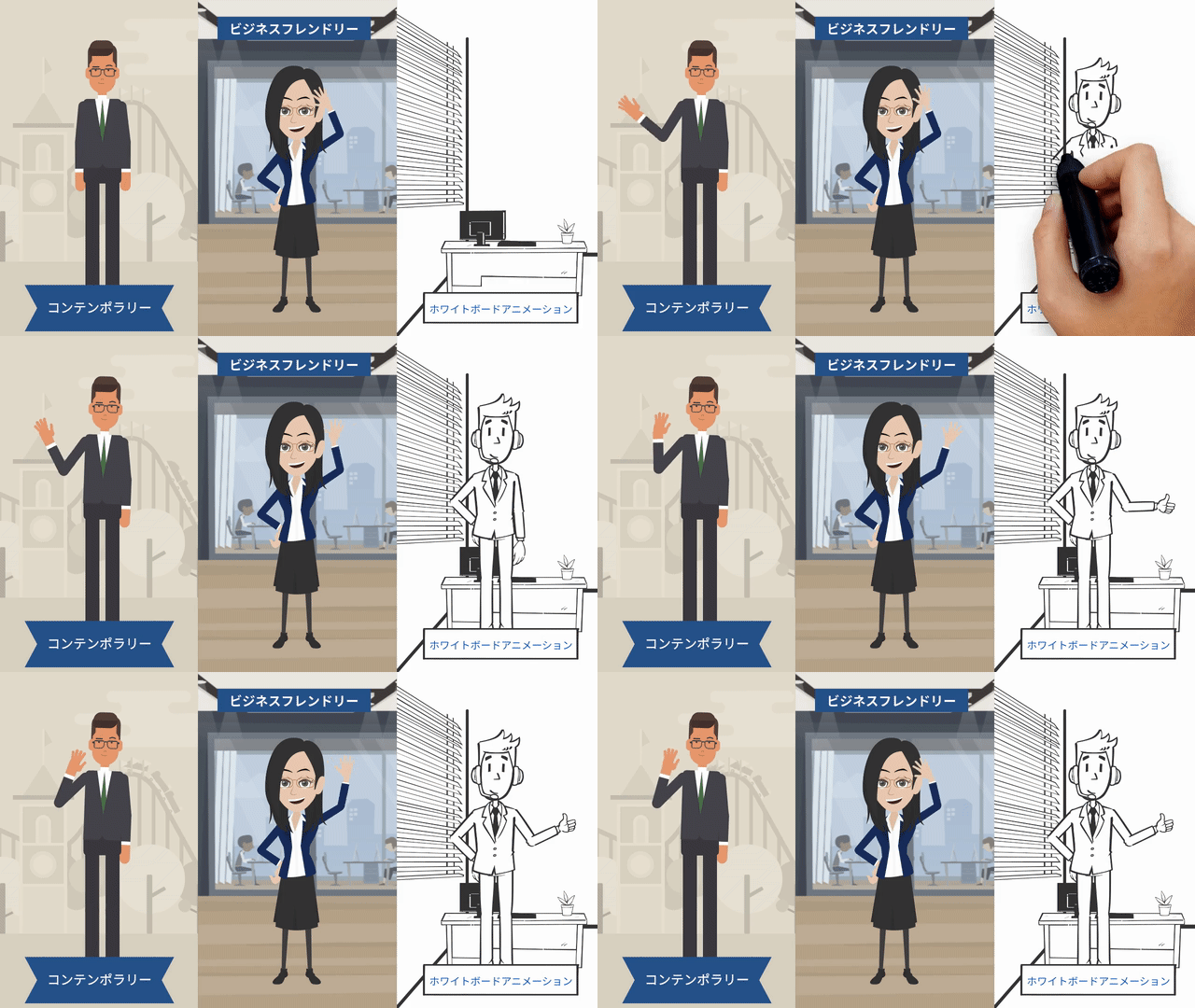
Vyond offers three styles: Contemporary, Business Friendly, and Whiteboard Animation. Depending on the content and scenes of the video, you can create using one of these styles or a combination of them.
② Place Characters and Text
Arrange materials such as characters. When you select a prepared scene like an office, characters and desks are set up, so adjust them according to the content of the video.
Additionally, place extra materials such as characters, and adjust the position, size, and color of the placed objects.
Text is also placed as explanatory notes within the video as needed.
③ Add Movement
Add movement to the placed characters. Various movements such as waving hands or bowing are pre-prepared, so select the ones that match the content of the video.
④ Add Narration, BGM, and Sound Effects
There is a synthetic voice feature, allowing you to create character voices and explanatory narration. Additionally, you can select and install BGM and sound effects that match the scenes and content of the video from the provided options.
■How to Use Vyond GO
Vyond GO is an animation video generation tool that utilizes AI. You can create animated videos in just a few steps and minutes by entering a prompt.
First, enter the prompt. Next, select the video's mood, format, layout, and location from the options menu. Finally, click the generate button, and a video with audio will be created in just a few seconds. For more details, please see the blog below.
>Vyond Go (AI Video Generation) Tips and Best Practices ① Vyond Go Setup Guidelines
>Vyond Go (AI Video Generation) Tips and Best Practices ② Vyond Go Practical Examples
3. How to Start with Vyond
To start with Vyond, you need to sign an annual subscription contract.
■Plans and Purchase Methods
The prices are as follows.
| Premium | Professional | Enterprise | |
|---|---|---|---|
| Annual Contract | $ 99,800/year | $ 169,800/year | Official Vyond Contact Us |
* Payment methods supported are bank transfer and invoice payment.
* Prices are as of April 2024 and are subject to change due to exchange rates.
The method to purchase is as follows.
① Create an Account
Access the official Vyond website. Register your information such as name, email address, and company name to create a Vyond account.
Email verification and password setup, as well as answering a survey, will be required.
Once you create an account, a 14-day free trial period will begin.
② Upgrade to the Full Version
To output videos, you need to upgrade instead of using the trial version.
Please provide the necessary information for the contract through the purchase form on our website.
* Feel free to consult us about selecting a contract plan.
③ Payment and Start of Use
We will contact you regarding the payment method, etc.
Once payment and the contract are completed, you can start using the service in about one business day.
4. Depending on how you use Vyond, you can create highly effective e-learning materials
So far, we have explained the basic operations of Vyond, and from here, we will introduce practical operations.
As an example, we will introduce four Vyond features that help create highly effective e-learning materials.
■ Insert charts and graphs into animations
By adding a little animation when conveying numbers, it becomes easier for learners to remember. You can choose from pre-prepared templates and insert charts or graphs.

■ Create engaging videos that keep learners interested with zoom & pan features
Watching monotonous animations continuously may cause learners to get bored and find it difficult to focus on the content. Using the zoom feature allows you to emphasize objects and attract learners’ attention, while the pan feature lets you change the video perspective as if the camera is moving horizontally, enabling you to create dynamic videos that keep learners engaged.
Create dynamic animated videos with effect features
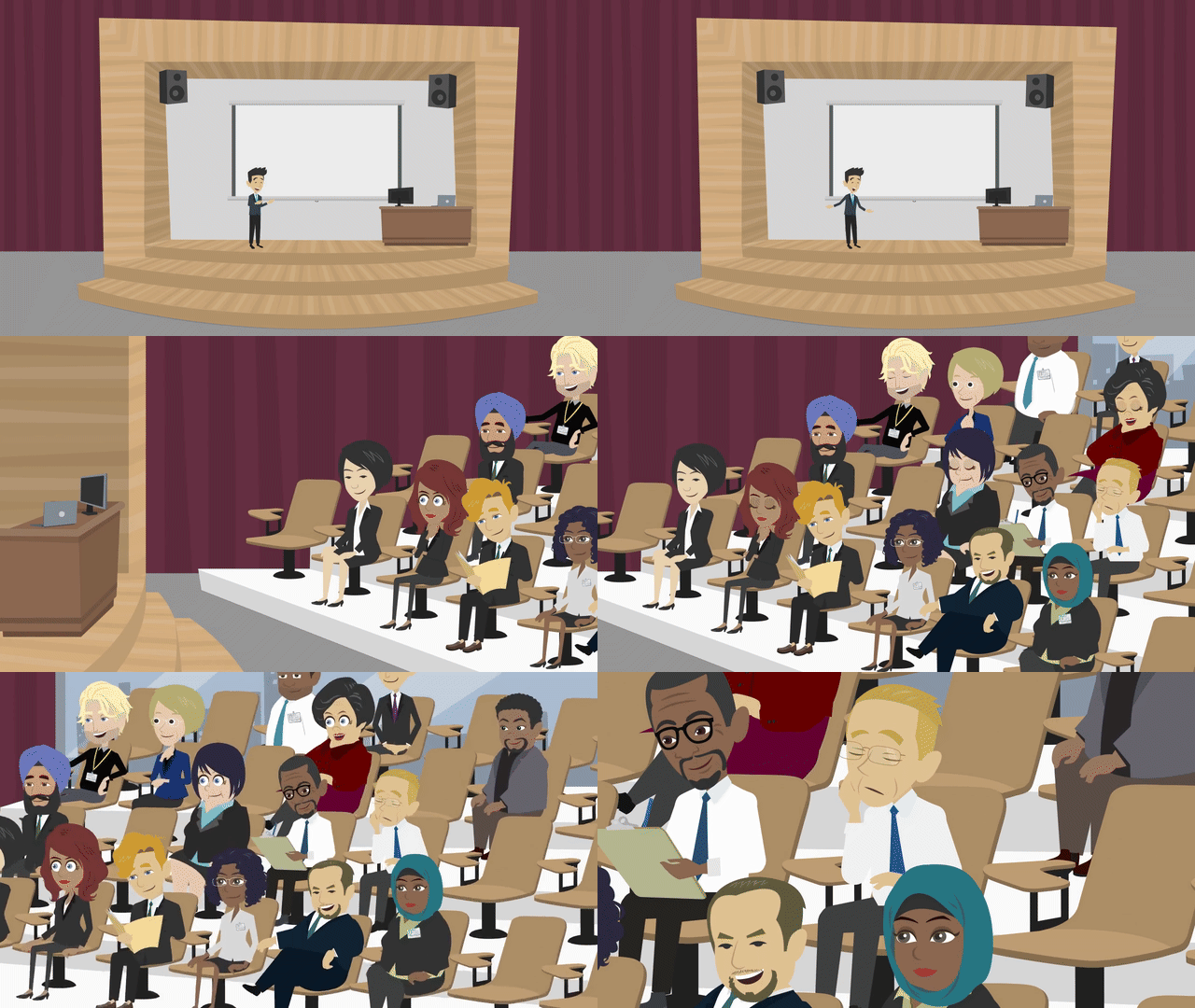
The effect features include "Enter Effect" (effects that display characters, etc.) and "Exit Effect" (effects that make them exit), which can be used to make animations appear dynamic.

■Explain video content using the mask feature
The mask feature allows you to incorporate one asset into another. For example, you can place a character inside a circular asset or insert a video into a monitor asset to explain or supplement the video content.
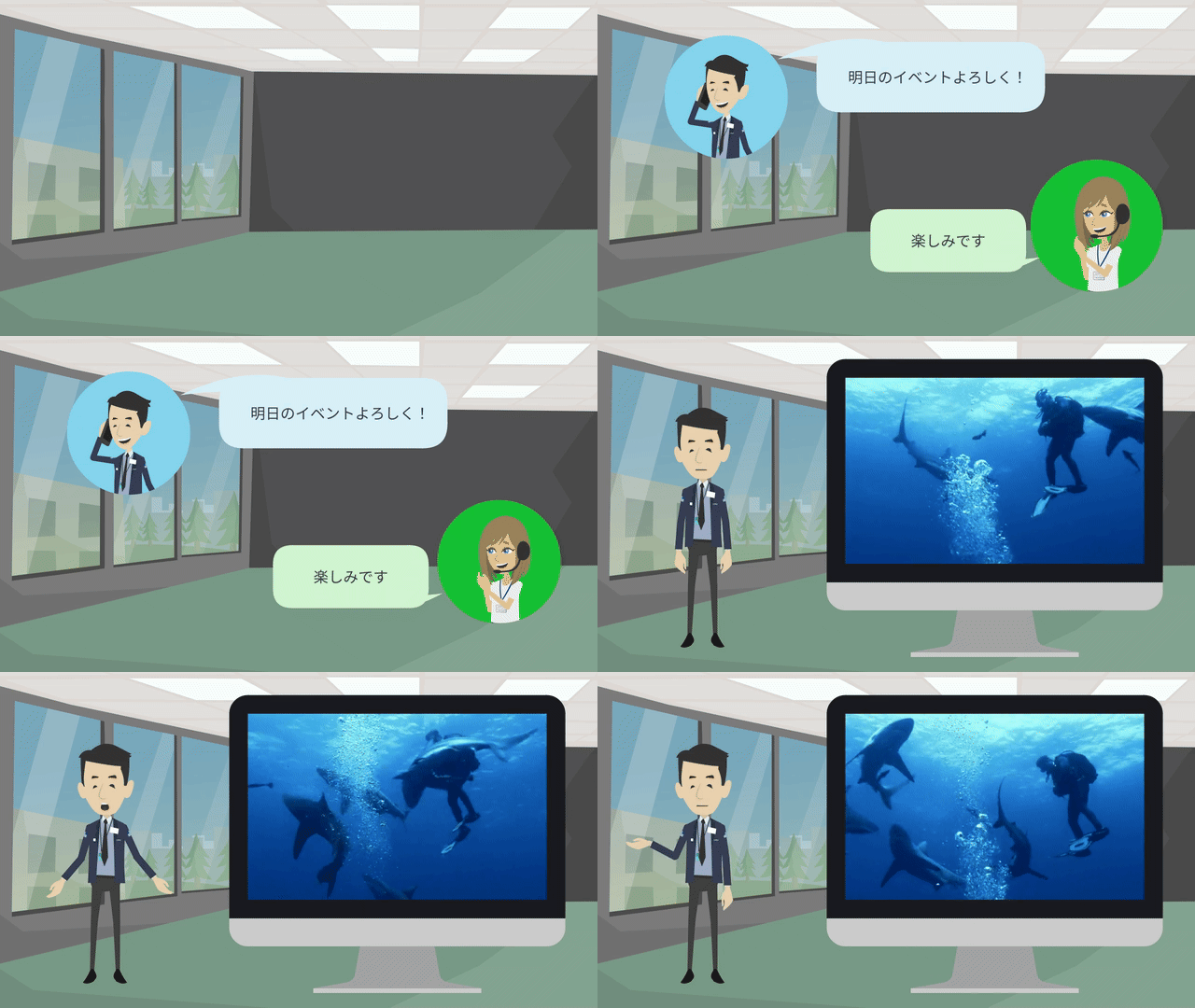
Related Column:
>Examples and Precautions for Commercial Use of Vyond
5. Precautions for Using Vyond
There are several precautions when using Vyond. First, since Vyond is an online-only tool, an internet connection is essential. If you plan to work outside, it is important to ensure a stable network environment.
Also, Vyond licenses cannot be shared among multiple users. Each user requires their own license, so please plan your contracts accordingly (if you are a single user, you can access and edit the same data from multiple devices).
For commercial use, you must comply with Vyond's terms of use. By entering into a licensing agreement, you are granted the right to use the videos created for business purposes, known as "commercial rights." This allows you to distribute the videos on social media or sell them as content. However, if you provide videos created with Vyond to a third party for use as that third party's own work, a "transfer" of commercial rights is required. This process requires the owner of the Vyond account to make a declaration and pay a fee.
6. Summary
This time, we introduced how to use Vyond. Human Science has a wealth of experience not only in live-action video production but also in animation video production. Additionally, we offer animation video production outsourcing services using Vyond and became a certified reseller of Vyond in 2023. We will introduce the benefits of implementing Vyond through Human Science.
・Comprehensive Support
We can support you with procedures before and after purchase, provide training courses, facilitate communication with Vyond providers (in English), and assist in proposing and producing educational content based on your requests.
> Vyond (Animation Production) Sales
・Numerous achievements in e-learning production
There are many achievements in effective animation production outsourcing utilizing our know-how, not limited to Vyond.
> Vyond Animation Production Outsourcing
The enhancement of educational content using animated videos is expected to increase in necessity in the future. In proportion to this, it is anticipated that various animation video production tools will emerge and their functionalities will also improve. The use of AI will also advance. In such a situation, Vyond is likely to be utilized even more around the world as the optimal tool for creating animated teaching materials. To enable more companies to take advantage of this useful tool, Human Science is offering a 2-week free trial. Please feel free to contact us.
In addition, Human Science offers a variety of services related to educational content, from in-house support for educational content to the production of animated videos and teaching materials. We would be happy to discuss your needs. We support production using Vyond, as well as various other tools.
> Human Science: e-Learning Services
In addition, Human Science has a wealth of experience in creating manuals for various products and services. This includes the production of promotional videos and user training content that accompany the manuals. Thus, we can provide one-stop solutions from the proposal and creation of manuals and training texts to the proposal and creation of educational content. Please feel free to contact us.
> Human Science: Manual Production Services
> Moodle Implementation Support and Operations
> e-Learning Material Production
> e-Learning Material Translation (Multilingual Support, Localization)
This introduces the effects of animation and simple methods for creating high-quality animated videos. Following a typical production flow, it presents key points at each stage and tips for creating engaging content.
How to Create Animated Videos (19 pages in total)
[Contents]
Why Animation?
With Vyond, anyone can easily and quickly create professional-quality animations!
Animation Production Flow
Introduction to Vyond
Vyond Related Information
- 2026.06.17
- How to Use PowerPoint × Vyond Effectively